Green screen is one of the oldest tricks in filmmaking, and it is now within reach of anyone with a phone or a basic camera. News channels use it for weather maps, YouTubers use it to place themselves in front of graphics, and filmmakers use it to put actors in places that would be too costly or impossible to shoot for real. The technique is called chroma key, and getting a clean result depends far more on how you shoot than on the software you use. This guide explains how to use a green screen step by step, from setting up the backdrop and lights to keying and finishing your video.
What is a green screen?
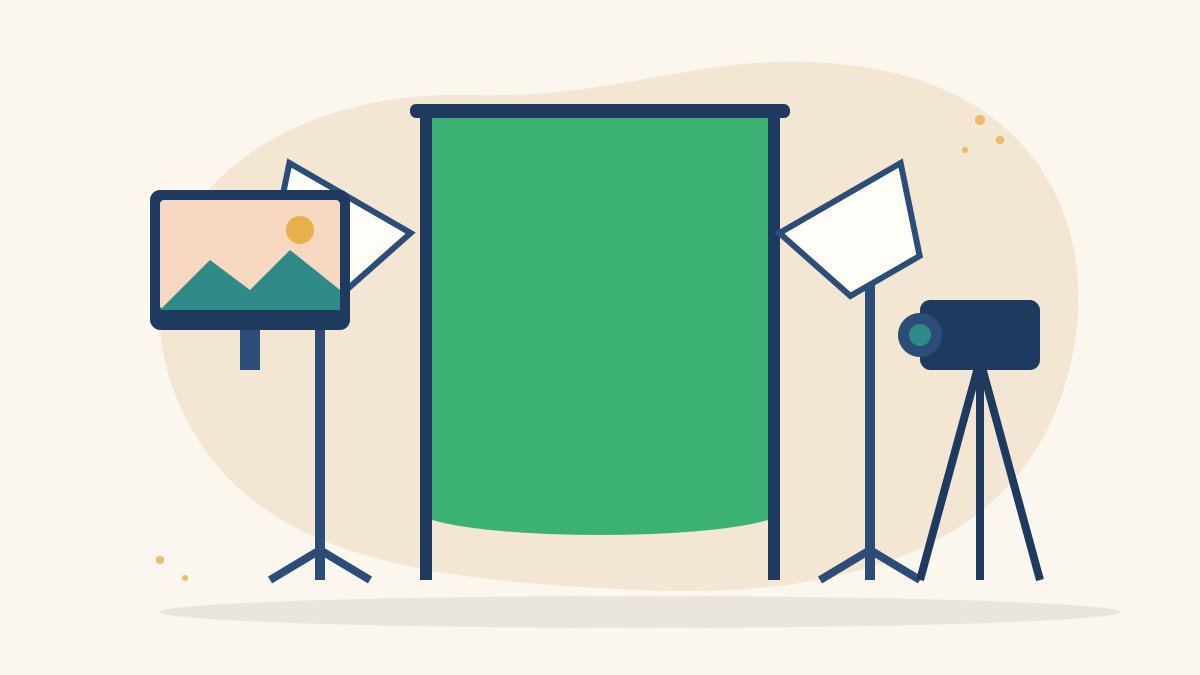
A green screen is a plain, evenly coloured backdrop placed behind a subject. In editing, software detects that specific colour and makes it transparent, so you can replace it with any image or video. This process is called chroma keying.
Why green, and when to use blue
Green is popular because it is rarely found in skin tones and most clothing, and digital camera sensors capture green with plenty of detail. Blue screens are used when the subject is wearing green, or for some night scenes where a blue spill looks more natural. The method is the same for both.
What you need to get started
- A backdrop: a chroma key cloth, a collapsible green screen panel or a smooth wall painted in chroma green.
- A stand or mounting: clamps, a frame or hooks to keep the backdrop flat and tight.
- Lights: at least two soft lights for the backdrop and one or two for the subject. Softboxes or LED panels work well.
- A camera or phone: any device that can record steady, sharp video.
- A tripod: a locked-off camera makes keying and compositing much easier.
- Editing software: most editors include a chroma key tool, including DaVinci Resolve, Adobe Premiere Pro, Final Cut Pro, CapCut and KineMaster.
Step-by-step: how to use a green screen
1. Set up the backdrop
Stretch the backdrop so it is as smooth as possible. Wrinkles and folds create shadows, and shadows create patches of darker green that are hard to key. Make it large enough to fill the whole frame behind your subject, including any movement.
2. Light the screen evenly
The most important rule is even lighting on the screen. Place two lights at roughly 45 degrees on either side of the backdrop, pointing at it from a distance so the light spreads smoothly. Look for hot spots and dark corners, and adjust until the green looks like one flat colour.
3. Light the subject separately
Light your subject with their own key light and, if possible, a fill light, as you would for a normal interview. A backlight or hair light behind the subject helps separate their outline from the screen and reduces green spill on hair and shoulders.
4. Leave space between subject and screen
Keep the person at least one to two metres in front of the backdrop. This reduces shadows on the screen and limits green light bouncing back onto them.
5. Choose the right clothing
Avoid anything green, shiny or very fine in pattern. Reflective jewellery, sequins and thin stripes can confuse the key. Solid, matte colours work best.
6. Set your camera
- Lock exposure and focus so the screen does not change brightness mid-shot
- Use a fast shutter speed if there is movement, to reduce motion blur at the edges
- Record at the highest quality your device allows
- Keep ISO low to avoid noise, which makes keying messy
- Use a tripod and avoid zooming during the shot
7. Shoot a test clip
Record a few seconds and key it in your editor before the full shoot. Fixing a lighting problem on set takes minutes; fixing it in editing can take hours.
How to key green screen footage in editing
- Place your background image or video on the lower track and the green screen clip above it.
- Apply the chroma key or ultra key effect to the green screen clip.
- Use the colour picker to select the green backdrop.
- Adjust tolerance or similarity until the green disappears without eating into the subject.
- Soften or feather the edges slightly so the outline does not look cut out.
- Use spill suppression to remove the green tint on hair, skin and clothing.
- Add a garbage matte, a simple mask that removes areas outside the subject, such as light stands.
Making the composite look real
Match the lighting
If the new background has sunlight coming from the left, light your subject from the left too. Mismatched light direction is the most common giveaway.
Match colour and focus
Use colour correction so the subject and background share similar warmth and contrast. Slightly blurring the background often makes it feel as if the camera focused on the subject.
Match perspective
Shoot your subject at a camera height and angle that suits the background. A low-angle subject on a high-angle background will never look right.
Common green screen mistakes
- Uneven lighting with bright spots and dark edges on the screen
- Standing too close to the backdrop
- Wrinkled or creased fabric
- Wearing green or reflective clothing
- Heavy motion blur from a slow shutter speed
- Pushing keying settings too far, which leaves the subject with jagged or see-through edges
Creative ways to use green screen
- Presenter videos with graphics, maps or slides behind the speaker
- Placing interviews in a branded studio look
- Short films and music videos with imagined or animated worlds
- Explainer videos combining a presenter with motion graphics
- Social media content where a creator reacts to images or clips
Learn production skills with Karuna Media
At Karuna Media, run by Puppets Picture Education Trust (PPET) in Noida, the 12-month Karuna Media Master Program trains underprivileged women in media, filmmaking and AI skills, with support for job placement. Students learn camera, lighting, editing and visual effects techniques through hands-on projects.
Explore the Karuna Media Master Program or apply now to begin. If you want to help more women gain production skills for real jobs, you can donate to support their training.
The Giving Movement by Karuna Media · #TheGivingMovement
Wear the cause: tees, a tote and a mug that fund media training for women
Tee (Black) ₹699 · Tee (White) ₹649 · Tote ₹449 · Mug ₹399. Printed on demand and shipped across India. 100% of the profit funds media training for underprivileged women.
Buy now on Razorpay Prefer to donate? Go to our donate pageMerch is a purchase, not a donation, and is not eligible for 80G. To make a donation, use our donate page.