Before a director shoots a single frame, before a brand launches a campaign and before a designer starts a layout, there is usually a mood board. A mood board is a collection of images, colours, textures and words that shows the look and feeling of a project at a glance. It helps everyone agree on a visual direction early, which saves time, money and confusion later. This guide explains how to create a mood board for filmmaking and video projects, what to include, the tools you can use and how to present it to a team or client.
What is a mood board?
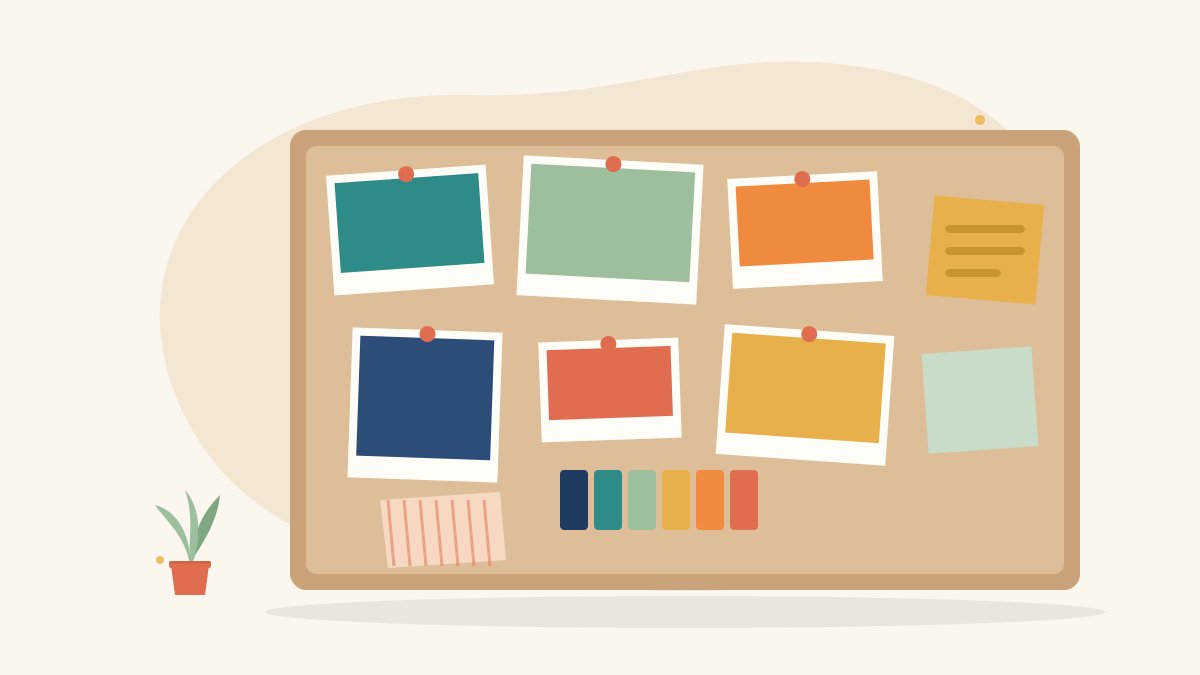
A mood board is a visual reference sheet. It can be physical, with printed photos and fabric swatches pinned to a board, or digital, arranged on a screen. In film and video work, mood boards are used to communicate:
- The overall tone, such as warm and hopeful, dark and tense, or bright and playful
- The colour palette for sets, costumes and the final colour grade
- Lighting style, such as soft daylight, hard contrast or neon night
- Camera framing and composition ideas
- Locations, props and textures
- Costume, hair and make-up references
Why mood boards matter in filmmaking
Words like “cinematic”, “modern” or “natural” mean different things to different people. A mood board turns those words into pictures, so the director, cinematographer, production designer, costume team and client share the same vision. It also helps you:
- Get approval from a client before spending money on a shoot
- Brief crew members quickly and clearly
- Keep the look consistent across different shooting days
- Guide colour grading and editing decisions after the shoot
Types of mood boards for video projects
Overall tone board
A single board that sums up the feeling of the whole project. This is usually the first one you create and share.
Colour board
A board focused on the colour palette, often with five or six main colours and examples of how they appear in frames.
Lighting and camera board
Reference frames that show the lighting style, lens choices, angles and camera movement you are planning.
Location and set board
Images of spaces, furniture, props and textures that guide the production design team.
Costume and character board
References for what each character wears, their hairstyle, accessories and overall style.
How to create a mood board step by step
- Read the brief or script carefully. Note the story, audience, message and any words that describe the feeling, such as hopeful, nostalgic or energetic.
- Write three to five keywords. Choose words that capture the mood. These keywords guide every image you select.
- Collect reference images. Gather stills from films, photographs, artwork, magazine pages, your own location photos and screenshots. Collect more than you need at first.
- Pick a colour palette. Choose a few main colours that match the mood. Many design tools can pull a palette from an image automatically.
- Edit ruthlessly. Remove anything that does not fit the keywords. A focused board with twelve to twenty strong images works better than a crowded one with fifty.
- Arrange with intention. Place the most important image large, near the centre or top left. Group similar images together, for example lighting in one area and costumes in another.
- Add short labels. Write a few words next to key images, such as “soft window light” or “handheld, close framing”, so the purpose is clear.
- Share and gather feedback. Show the board to your director, team or client and update it based on their notes before the shoot.
What to include on a film mood board
- A title with the project name and your keywords
- Reference frames for lighting and composition
- A colour palette with swatches
- Location and set references
- Costume and character references
- Texture images, such as fabric, wood, metal or paper, if they matter to the look
- Optional typography samples if the video uses on-screen text or titles
Tools for making mood boards
You can make a mood board with almost any tool. Choose one that suits the way you work and the way your team likes to share files.
- Canva: Easy drag-and-drop templates, good for beginners and quick client boards
- Pinterest: Useful for collecting references into private boards before arranging them elsewhere
- Milanote or Miro: Online whiteboards that work well for team collaboration
- Adobe Photoshop or Illustrator: Full control over layout for polished presentations
- Google Slides or PowerPoint: Simple and easy to share as a PDF
- A physical board: Printed images and real fabric or paper samples, useful for workshops and art department meetings
Using AI images on a mood board
AI image generators can help you visualise ideas that are hard to find references for, such as an imaginary location or a specific lighting setup. If you use them, label AI-generated images clearly, check that they do not copy a specific artist’s style or a real person’s likeness, and treat them as rough ideas rather than final designs.
Tips for a strong mood board
- Stay consistent: Every image should support the same mood and keywords.
- Use high-quality images: Blurry or tiny references make the board harder to read.
- Credit your references: Note the source of film stills or photographs, especially if you share the board outside your team.
- Show what to avoid: Some teams add a small “not this” section to make the direction even clearer.
- Keep it updated: If the creative direction changes, update the board so it stays useful.
Common mistakes to avoid
- Collecting images without a clear brief or keywords
- Mixing too many unrelated styles on one board
- Using only images you like personally rather than ones that fit the project
- Forgetting practical details such as budget, available locations or time of day
- Presenting the board without explaining your choices
Practice exercise
Choose a short scene, for example a mother and daughter talking in a kitchen at dawn. Write three keywords, collect fifteen reference images, pick a five-colour palette and arrange a one-page mood board with short labels. Then write two sentences explaining how the board would guide lighting, costumes and the colour grade.
Build your visual storytelling skills with Karuna Media
At Karuna Media, run by Puppets Picture Education Trust (PPET) in Noida, the 12-month Karuna Media Master Program trains underprivileged women in media, filmmaking and AI skills, with support for job placement. Students learn to plan, shoot and edit projects, including the pre-production work such as mood boards and storyboards that professional teams rely on.
Explore the Karuna Media Master Program or apply now to begin. You can also donate to support their training and help more women build creative careers.
The Giving Movement by Karuna Media · #TheGivingMovement
Wear the cause: tees, a tote and a mug that fund media training for women
Tee (Black) ₹699 · Tee (White) ₹649 · Tote ₹449 · Mug ₹399. Printed on demand and shipped across India. 100% of the profit funds media training for underprivileged women.
Buy now on Razorpay Prefer to donate? Go to our donate pageMerch is a purchase, not a donation, and is not eligible for 80G. To make a donation, use our donate page.