A teleprompter lets you look straight into the lens while reading a script, so you can deliver a clear, well-structured message without memorising every word. Used well, it is invisible. Used badly, it shows: eyes moving left to right, a flat voice and a speaker racing to keep up with the scrolling text.
This guide explains how teleprompters work, how to write and format a script for one, how to set up a phone or tablet prompter, how to read naturally and an illustrative script you can practise with.
How a teleprompter works
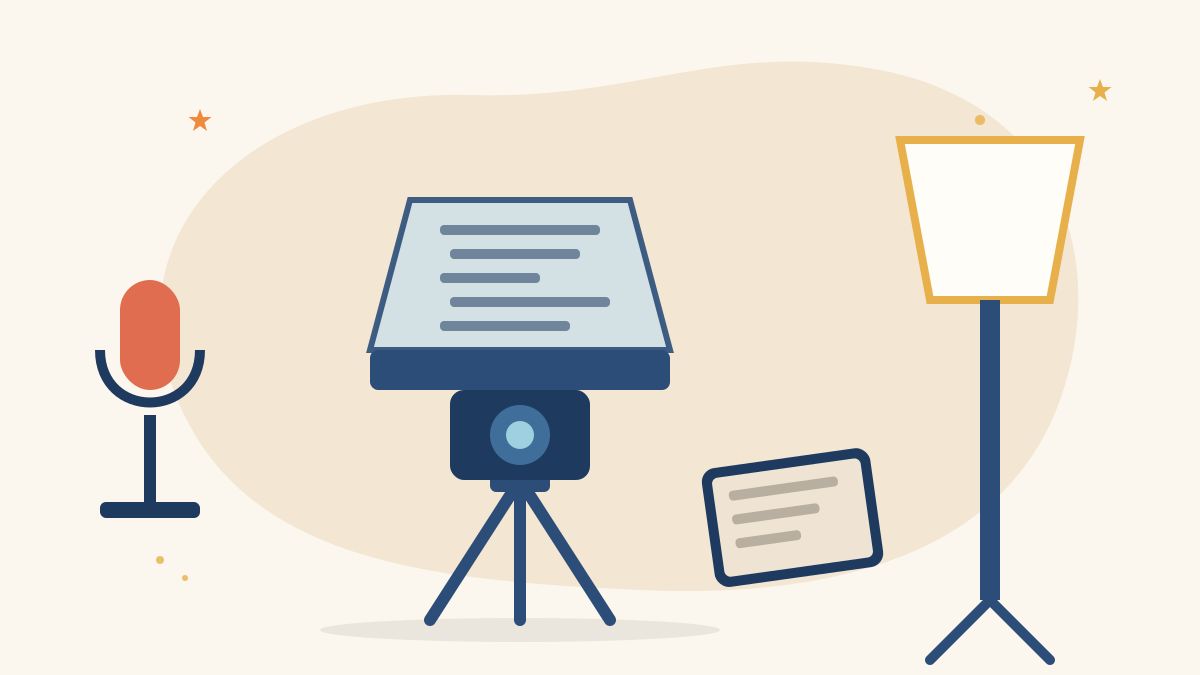
A traditional teleprompter places a sheet of angled glass, called a beam splitter, in front of the camera lens. A screen below reflects the script onto the glass. The presenter sees the words; the camera looks through the glass and does not record them. The result is that you can read while making eye contact with the viewer.
Simpler options include:
- Phone or tablet apps that scroll text on the screen next to or under the camera.
- Clip-on or small mirror prompters that hold a phone below the lens with a small beam splitter.
- Laptop prompters with the script placed just under the webcam for video calls and recordings.
For most beginners, an app on a tablet placed close to the lens is enough to start practising.
Write the script for speaking, not reading
A teleprompter script is written to be heard. Our guide on how to write a video script covers structure; for prompter use, add these habits:
- Use short sentences. One idea per sentence is easier to read aloud.
- Choose everyday words. If you would not say it in conversation, rewrite it.
- Write numbers as you would say them, for example “two thousand” or “twenty twenty-six”, if digits trip you up.
- Spell out tricky names phonetically in brackets the first time you rehearse.
- Read it aloud before recording, and cut anything you stumble over.
Work out how long it will run
A rough timing helps you plan. The BBC’s School Report news quiz for young presenters gives news reading speed as three words a second, so presenters speak clearly without rushing. That is about 180 words a minute, a news pace. Many people speaking to camera for explainers or social video prefer a slightly slower, more conversational pace, so time yourself reading your own script and use that figure.
Format the text on screen
- Large font, so you can read it from your normal position without squinting.
- Narrow lines, roughly a few words per line, so your eyes move less.
- Line breaks at natural pauses, not in the middle of a phrase.
- Cues in brackets, such as [PAUSE], [SMILE] or [SHOW PRODUCT], in a different style if your app allows it.
- High contrast, such as white text on a dark background.
The BBC Academy’s guide on presenting the news using Autocue advises checking who controls the prompter and that the font size and scroll speed suit your presenting style, and rehearsing before going on air.
Set up a phone or tablet prompter
- Place the camera at eye level. A low camera looks up at you and is unflattering.
- Put the text as close to the lens as possible. The further away it is, the more your eyes will look off-camera.
- Sit or stand further back. Distance makes small eye movements less noticeable.
- Set the scroll speed after a rehearsal, or use an app that follows your voice or a remote control.
- Light your face evenly so the screen glare does not show in your eyes or glasses.
- Check your audio. A clip-on mic or a microphone close to you makes a big difference; see our guide to recording clear audio on a phone.
How to read naturally
Tell, do not recite
Think of the script as notes for a conversation with one person. Before recording, explain each section out loud in your own words without the prompter. Then read it. You will usually sound warmer.
Control the speed
The prompter should follow you, not the other way round. If the text runs ahead, slow it down rather than speed up your speech.
Use pauses and emphasis
Mark one or two key words in each paragraph to emphasise. Pause at the end of each idea. Pauses give viewers time to absorb what you said and give you time to breathe.
Keep your face and hands alive
Nod, smile where it fits and use small, natural gestures. Our guide on how to be confident on camera has more ideas for relaxed delivery.
Illustrative 45-second prompter script
This example is illustrative. It is a short welcome video for a community workshop, formatted for a prompter.
- Hello, and welcome. [SMILE]
- I am Meera, and I run this workshop.
- Over the next two hours,
- you will learn how to film
- a short video on your phone.
- [PAUSE]
- We will start with framing,
- then light,
- then sound.
- You do not need any experience.
- Just bring your phone, fully charged.
- [PAUSE]
- If you have questions,
- write them down as we go.
- We will answer every one at the end.
- Let’s begin.
At a conversational pace, about 70 words read in roughly 30 to 45 seconds, depending on pauses. Time your own read and adjust.
Common mistakes to avoid
- Reading too fast to keep up with the scroll.
- Placing the text far from the lens, which makes your eyes wander.
- Long, written-style sentences that are hard to say.
- Skipping rehearsal, so mistakes appear on the first take.
- Never looking away from the text, which can feel stiff; small natural movements are fine.
Learn presenting and video skills with Karuna Media
Karuna Media, an initiative of Puppets Picture Education Trust (PPET) in Noida, trains women from underprivileged backgrounds in media, filmmaking and AI skills through the Karuna Media Master Program, so they can build portfolios for creative careers.
- Want to learn? Read about the program and apply here.
- Want to help more women find their voice on camera? Support our work through the donate page.
Your next step
Write a 60-word introduction about yourself in short lines. Load it into a prompter app on a phone or tablet, place the text just under the lens and record three takes: one fast, one slow, one at a pace that feels like conversation. Watch them back and keep the pace that sounds most like you.
The Giving Movement by Karuna Media · #TheGivingMovement
Wear the cause: tees, a tote and a mug that fund media training for women
Tee (Black) ₹699 · Tee (White) ₹649 · Tote ₹449 · Mug ₹399. Printed on demand and shipped across India. 100% of the profit funds media training for underprivileged women.
Buy now on Razorpay Prefer to donate? Go to our donate pageMerch is a purchase, not a donation, and is not eligible for 80G. To make a donation, use our donate page.