Before a single shot is filmed, most good videos already exist on paper. Directors, cinematographers, ad agencies and YouTube creators use storyboards to plan every frame, save time on set and make sure everyone on the team sees the same film in their head.
You do not need to be good at drawing to make a useful storyboard. Stick figures, arrows and clear notes are enough. This guide explains what a storyboard is, what to include, how to make a storyboard step by step, the tools you can use and the mistakes beginners often make.
What is a storyboard?
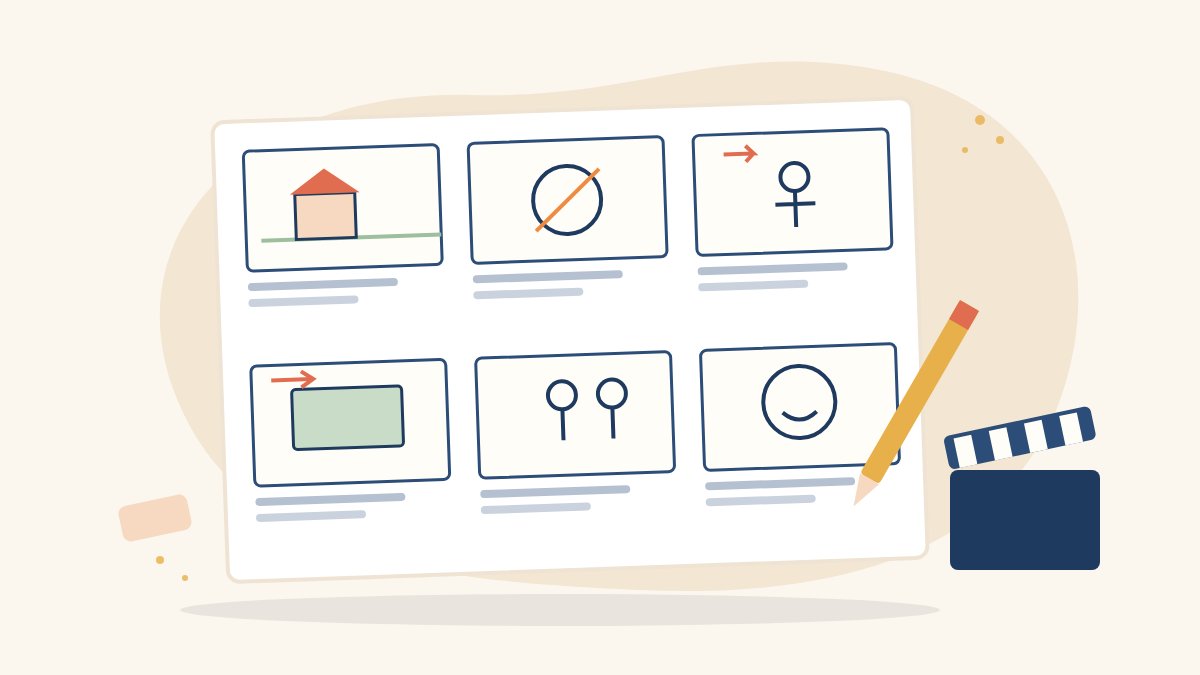
A storyboard is a sequence of drawings or images, usually in boxes called panels or frames, that shows how a video will unfold shot by shot. Each panel represents one shot or one key moment, with notes on camera angle, movement, dialogue and sound.
Think of it as a comic strip for your film. It sits between the script, which describes what happens, and the shoot, where you decide exactly how to film it.
Why storyboarding matters
- It saves time and money. Problems are much cheaper to fix on paper than on set.
- It helps the whole crew. The camera team, actors, art department and editor can all see the plan.
- It makes you think visually. You decide shot sizes, angles and transitions in advance.
- It helps you win work. Agencies often show storyboards to clients before a shoot is approved.
- It guides the edit. The editor can follow the intended order and pacing.
Storyboard vs shot list vs script
- Script: the story in words, with scenes, action and dialogue.
- Storyboard: the story in pictures, frame by frame.
- Shot list: a table of every shot to be filmed, often grouped by location for an efficient shooting order.
Most productions use all three. Small projects may combine the storyboard and shot list on one page.
What to include in each storyboard panel
- The image: a simple sketch of what the camera sees.
- Shot number: such as Scene 2, Shot 3.
- Shot size: wide shot, medium shot, close-up or extreme close-up.
- Camera angle: eye level, high angle, low angle or overhead.
- Camera movement: pan, tilt, push in, tracking or static, shown with arrows.
- Action: a short line describing what happens.
- Dialogue or voice-over: the words heard during the shot.
- Sound and music notes: ambient sound, effects or music cues.
- Duration: an estimate in seconds, useful for ads and reels.
How to make a storyboard step by step
- Start with a script or outline. Even a one-minute reel needs a clear beginning, middle and end. Write it down first.
- Break the script into scenes and shots. Go line by line and decide where the camera should be for each moment.
- Choose your format. Pick the aspect ratio of the final video, such as 16:9 for YouTube or 9:16 for vertical reels, and draw panels in that shape.
- Sketch the key frames. Use stick figures and simple shapes. Show where people stand, what is in the foreground and background, and where the horizon sits.
- Add arrows for movement. One arrow style for camera movement and another for movement within the frame keeps things clear.
- Write notes under each panel. Add shot size, angle, action, dialogue, sound and duration.
- Check the flow. Read the storyboard from start to finish like a comic. Does the story make sense? Is there enough variety in shot sizes?
- Share and revise. Walk your director, client or teammates through it and update panels based on feedback.
- Turn it into a shot list. Group shots by location and lighting set-up so the shoot day runs efficiently.
Tools for storyboarding
Pen and paper
Printable storyboard templates with blank panels and note lines are easy to find or make. Paper is fast, cheap and excellent for brainstorming.
Digital design tools
Canva, Google Slides and PowerPoint all work well for simple storyboards. You can draw boxes, add stock images or icons and share the file with your team. Our Canva for beginners guide covers the basics.
Dedicated storyboard software
Professional and semi-professional tools offer panel templates, camera notes and animatics (storyboards played in sequence with timing and sound). Explore them once you are comfortable with the basics.
Photo storyboards
Instead of drawing, photograph friends or objects in the positions you plan to shoot. This is a quick way to test framing and lighting at the actual location.
AI image tools
Some creators use AI image generators to visualise frames. Use them carefully: treat images as rough references, check the platform’s usage terms, avoid generating real people’s likenesses and never pass off generated images as finished work.
A simple example: a 30-second reel
Imagine a 30-second reel about a neighbourhood tailor. A storyboard might look like this:
- Panel 1 (3 seconds): wide shot of the shop front at morning, static, ambient street sound.
- Panel 2 (4 seconds): close-up of hands threading a needle, eye level.
- Panel 3 (5 seconds): medium shot of the tailor at the sewing machine, slow push in, voice-over begins.
- Panel 4 (4 seconds): overhead shot of fabric being cut.
- Panel 5 (6 seconds): a customer trying on the finished garment, medium shot, music rises.
- Panel 6 (8 seconds): close-up of the tailor smiling, then the title card and call to action.
Six panels, each with a clear purpose, are enough to plan a confident shoot.
Common storyboarding mistakes
- Drawing beautiful pictures but forgetting camera notes.
- Using the same shot size throughout, which makes the edit monotonous.
- Ignoring the final aspect ratio, especially for vertical video.
- Planning shots that the location, budget or schedule cannot support.
- Treating the storyboard as fixed. It is a plan, and good teams adapt on the day.
Learn storyboarding and filmmaking with Karuna Media
Puppets Picture Education Trust (PPET) in Noida runs the 12-month Karuna Media Master Program for women from underprivileged homes. Its filmmaking training covers story structure, scripting, shot planning and cinematography, and students plan and shoot a capstone film in crew roles before placement support. The program also covers video editing, audio, graphic design and AI content creation.
To check eligibility and the next batch, visit our application page. If you would like to help more women tell stories on screen, you can support our work.
Final thoughts
Knowing how to make a storyboard is a skill that pays off on every project, from a 30-second reel to a short film. Start simple, focus on clarity rather than artistry, add good notes and revise with your team. When you arrive on set with a plan, you have more time and energy for the creative moments that matter.
The Giving Movement by Karuna Media · #TheGivingMovement
Wear the cause: tees, a tote and a mug that fund media training for women
Tee (Black) ₹699 · Tee (White) ₹649 · Tote ₹449 · Mug ₹399. Printed on demand and shipped across India. 100% of the profit funds media training for underprivileged women.
Buy now on Razorpay Prefer to donate? Go to our donate pageMerch is a purchase, not a donation, and is not eligible for 80G. To make a donation, use our donate page.