Watch any good documentary, interview, brand film or YouTube video and you will notice that the camera does not stay on the speaker the whole time. It cuts to hands at work, a street scene, a close-up of an object or a wide view of a place. These extra shots are called B-roll, and learning to shoot them well is one of the fastest ways to make your videos look more professional.
This beginner’s guide explains what B-roll is, why it matters, the main types of B-roll shots, how to plan and shoot them, and how to use them in your edit.
What is B-roll?
A-roll is your main footage, usually a person speaking to the camera, an interview or the core action of a scene. B-roll is supporting footage that you cut to while the A-roll audio continues or between key moments. It shows the viewer what the speaker is talking about, adds context and keeps the video visually interesting.
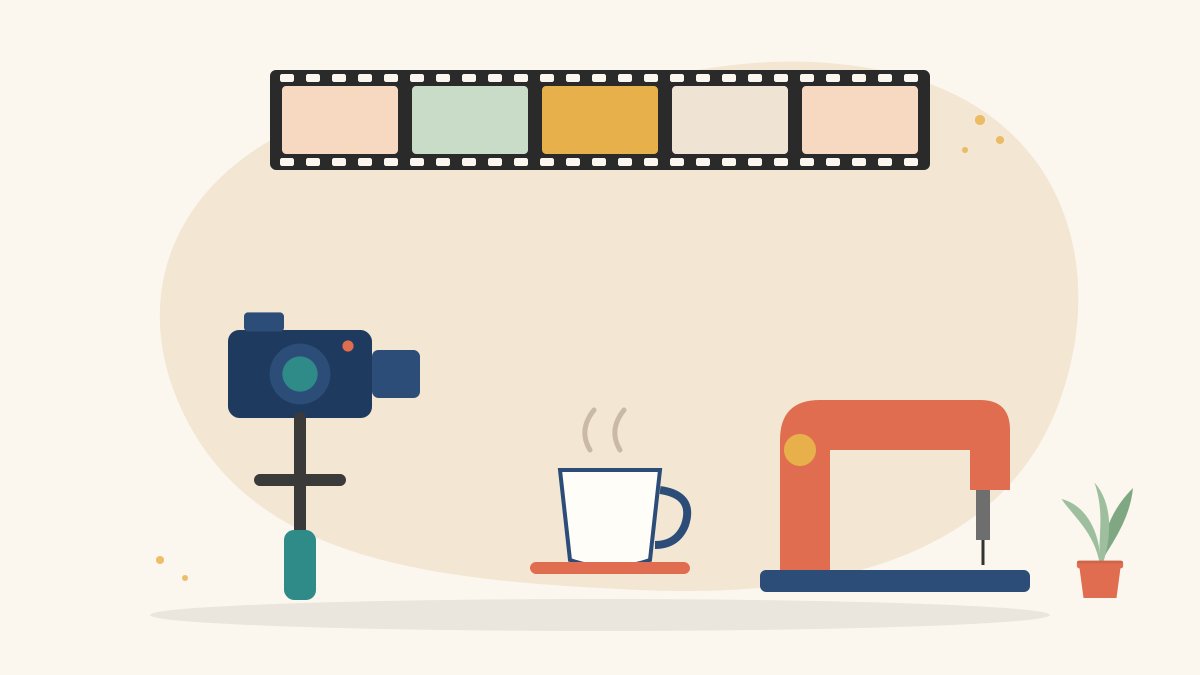
For example, if a tailor is explaining her work in an interview, the A-roll is her talking. The B-roll might show her threading a needle, the sewing machine running, fabric being cut and the finished garment on a hanger.
Why B-roll matters
- It shows instead of tells. Viewers understand and remember more when they see what is being described.
- It holds attention. Changing visuals keep long talking sections from feeling slow.
- It hides cuts. When you remove a pause or mistake from an interview, B-roll covers the jump.
- It sets the mood and place. A few shots of a location quickly tell viewers where and when the story happens.
- It adds detail. Close-ups reveal textures, emotions and small actions that wide shots miss.
Types of B-roll shots
Establishing shots
Wide shots of a building, street, landscape or room that show where the story takes place.
Detail shots
Close-ups of hands, tools, objects, textures and faces. These are often the most powerful B-roll shots. Our guide to camera shot types explains close-ups and other framings.
Action or process shots
Someone doing the work being discussed, such as cooking, writing, repairing or teaching. Shoot the process from start to finish so the editor has choices.
Cutaways and reaction shots
Shots of listeners, audiences or related activity happening around the main subject.
Movement shots
Slow pans, tilts, push-ins or tracking shots that add energy. Keep movements smooth and purposeful.
Transition shots
Shots such as a door opening, a passing vehicle or a time-lapse of sky that help move from one scene or idea to the next.
How to plan B-roll
- Read the script or interview questions. List everything the speaker is likely to mention. Each item is a possible B-roll shot.
- Make a shot list. Group shots by location so you can capture them efficiently. A simple storyboard helps for important sequences.
- Plan for variety. For each subject, aim for a wide, a medium and a close-up shot.
- Allow time. B-roll often takes longer to shoot than the interview itself. Plan extra time in your schedule.
How to shoot B-roll: practical tips
Hold each shot longer than you think
Record at least ten seconds for every shot, and keep the camera rolling a few seconds before and after the action. Editors need room to cut.
Keep the camera steady
Use a tripod, a gimbal or a stable surface. If you shoot handheld, keep your elbows close to your body and move slowly.
Use a variety of angles
Shoot the same action from different angles and distances. This lets you build a sequence that flows, for example wide, then medium, then close-up.
Shoot with intention
Every shot should show something specific. Avoid random footage that does not connect to the story.
Watch the light
Natural window light, golden-hour light outdoors and soft indoor lighting all help. Our guide to video lighting for beginners covers the basics.
Match your settings
Keep frame rate, white balance and picture style consistent with your A-roll so the footage blends smoothly in the edit. If you want slow motion, shoot at a higher frame rate and plan for it.
Record natural sound
Ambient sounds such as traffic, birds, machines or kitchen noise make B-roll feel real. Keep audio recording on, even if you add music later.
Ask permission
When filming people, private property or children, always ask for consent and follow local rules. Respect people who do not want to be filmed.
Shooting B-roll on a phone
A smartphone is enough to capture good B-roll. Clean the lens, lock focus and exposure on your subject, shoot in good light, and use the phone’s stabilisation or a small gimbal. Get physically close for detail shots instead of using digital zoom, which reduces quality. Our guide on how to make a short film on a phone shares more mobile techniques.
Using B-roll in your edit
- Lay down your A-roll first and build the story with the speaker’s words.
- Place B-roll on a track above the A-roll where it matches what is being said.
- Cut on action, such as a hand moving or a door closing, so transitions feel natural.
- Vary shot lengths, but give viewers enough time to take in each image, usually a few seconds per shot.
- Return to the speaker’s face at emotional or important moments, so viewers stay connected to them.
- Use B-roll to cover jump cuts and make interviews flow smoothly.
Common B-roll mistakes
- Shaky or out-of-focus footage.
- Shots that are too short to use.
- Footage that has nothing to do with what is being said.
- Only wide shots, with no detail or close-ups.
- Using stock footage that clearly does not match the rest of the video.
- Forgetting to shoot B-roll until the end of the day, when the light has gone.
Practice exercises
- Film a five-shot sequence of someone making tea: wide, medium, two close-ups and a final shot.
- Record a one-minute interview with a friend, then shoot B-roll to cover every sentence.
- Shoot a short sequence about your street or neighbourhood using only B-roll and natural sound.
Learn filmmaking with Karuna Media
Karuna Media, run by Puppets Picture Education Trust (PPET) in Noida, offers the 12-month Karuna Media Master Program for women from underprivileged homes. Students learn camera work, editing, storytelling and AI tools through hands-on projects, with job placement support. If you want to learn filmmaking, apply to the program. To help more women build media skills, you can support our work with a donation.
The Giving Movement by Karuna Media · #TheGivingMovement
Wear the cause: tees, a tote and a mug that fund media training for women
Tee (Black) ₹699 · Tee (White) ₹649 · Tote ₹449 · Mug ₹399. Printed on demand and shipped across India. 100% of the profit funds media training for underprivileged women.
Buy now on Razorpay Prefer to donate? Go to our donate pageMerch is a purchase, not a donation, and is not eligible for 80G. To make a donation, use our donate page.